
何杯飲んだか、 もう思い出さなくていい
量、度数、杯数に加えて、ボトルを何人で分けたかも入力できます。3人で分けたならAlcoStatは3分の1を数え、その量を生ビール1杯と比べます。
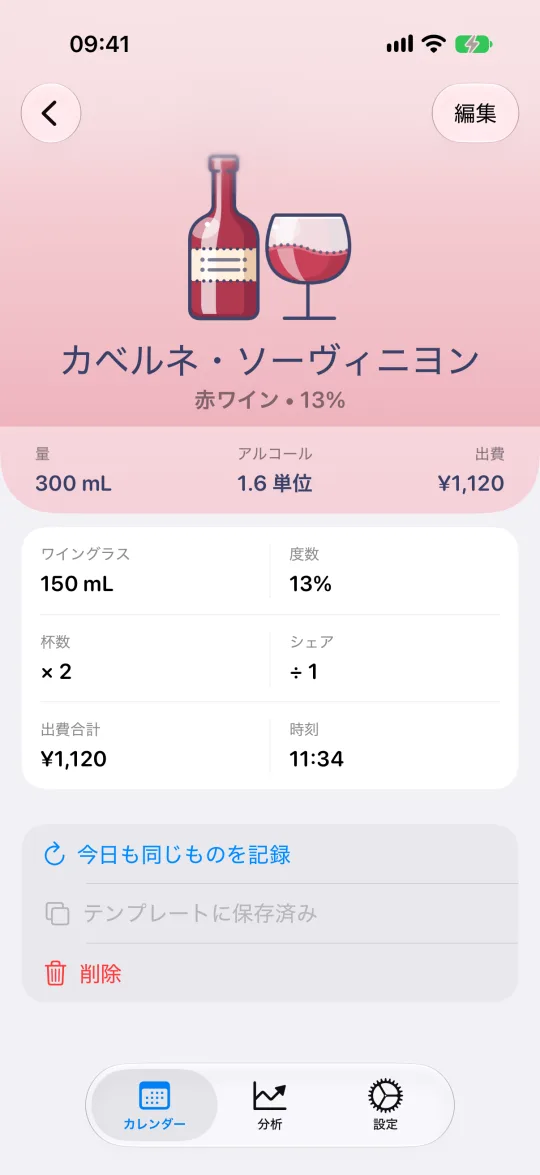
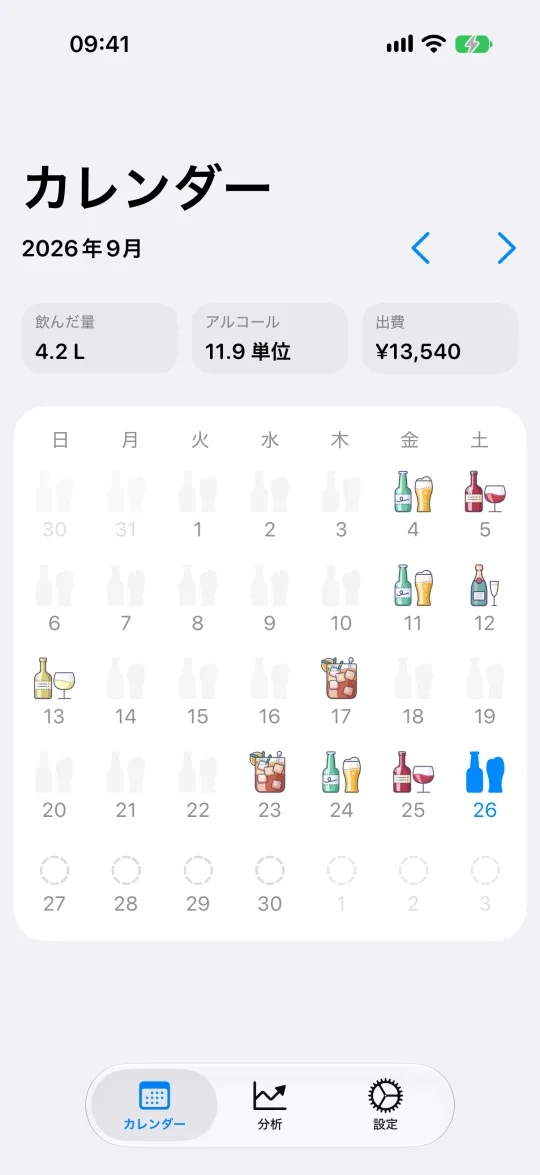
AlcoStatは、iPhone用の飲酒記録アプリ兼お酒カレンダーです。飲んだお酒を記録すると、量と度数から標準ドリンクに換算し、週・月・年ごとの合計を出します。アカウントもクラウドも、アドバイスもありません。

アプリと全履歴、11枚の分析カードは無料です。サブスクリプションでさらに40枚が加わります。
サーバーも広告もなく、利用状況の収集もしません
機内でも山の上でも記録できます
メールアドレスもパスワードも、クラウドのアカウントも要りません
9つの画面は、どれも同じ問いに答えます。何を飲んで、合計でどれだけになったのか。
量、度数、杯数に加えて、ボトルを何人で分けたかも入力できます。3人で分けたならAlcoStatは3分の1を数え、その量を生ビール1杯と比べます。
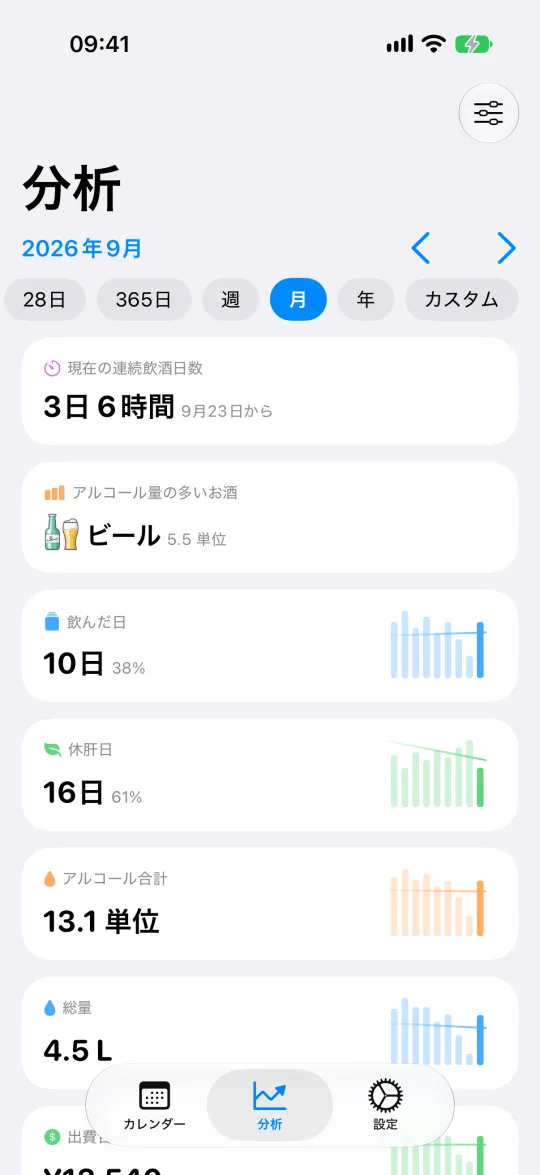
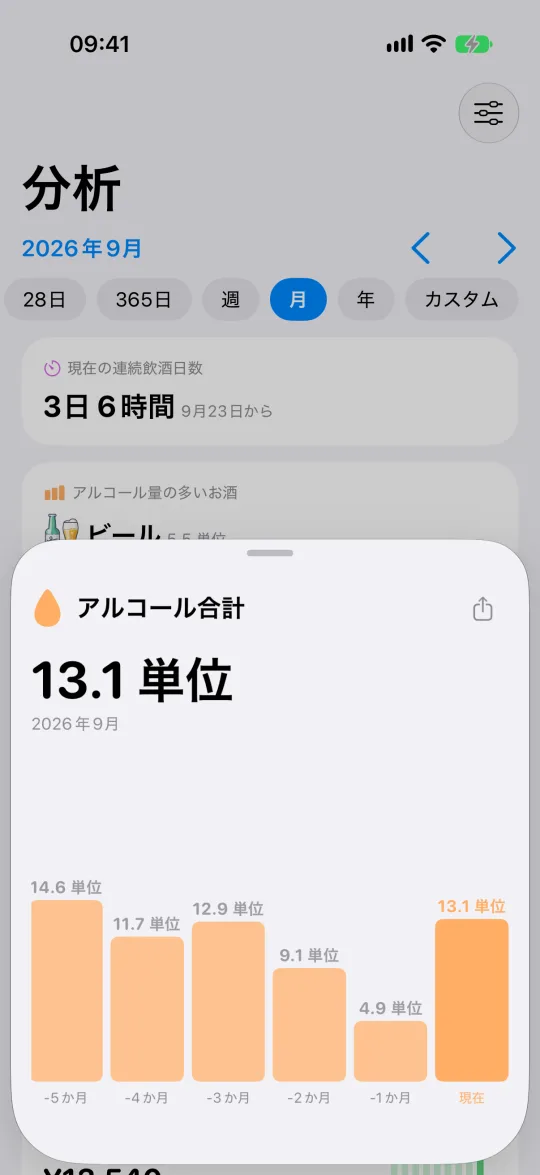
好きな期間を選んで、50枚以上のカードを見られます。合計、平均、飲んだ日の中央値、最長の休肝日と飲酒日の連続、ピークの日、曜日、出費。
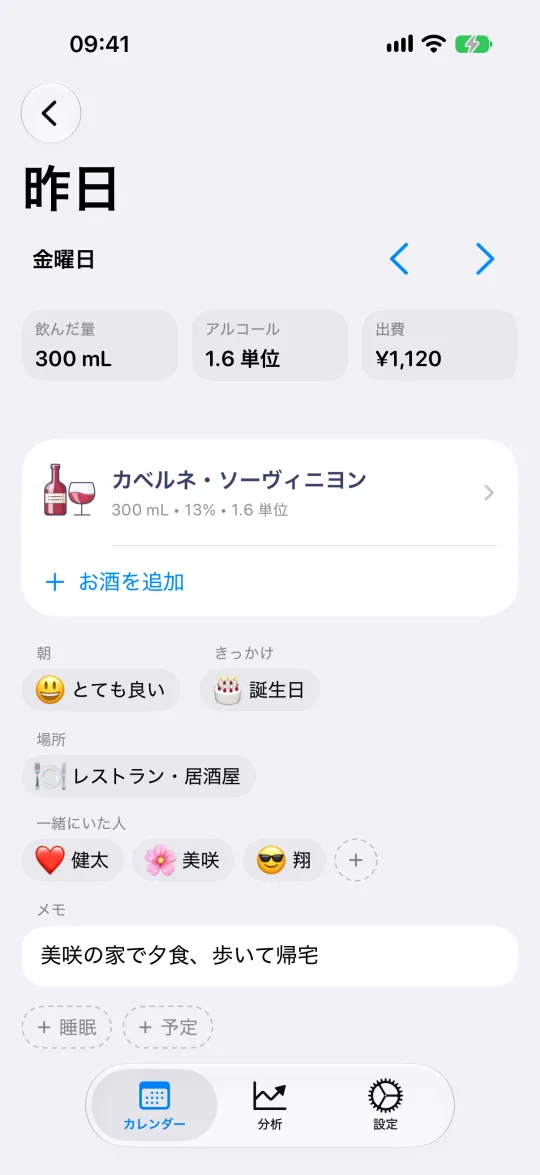
その夜のお酒と一緒に、翌朝の調子、場所、相手、きっかけが並びます。理由を忘れないうちにメモを残しましょう。
どのカードも開けば、週・月・年ごとの履歴を比べられます。棒をタップするとその期間を表示。書き出しも計算も必要ありません。
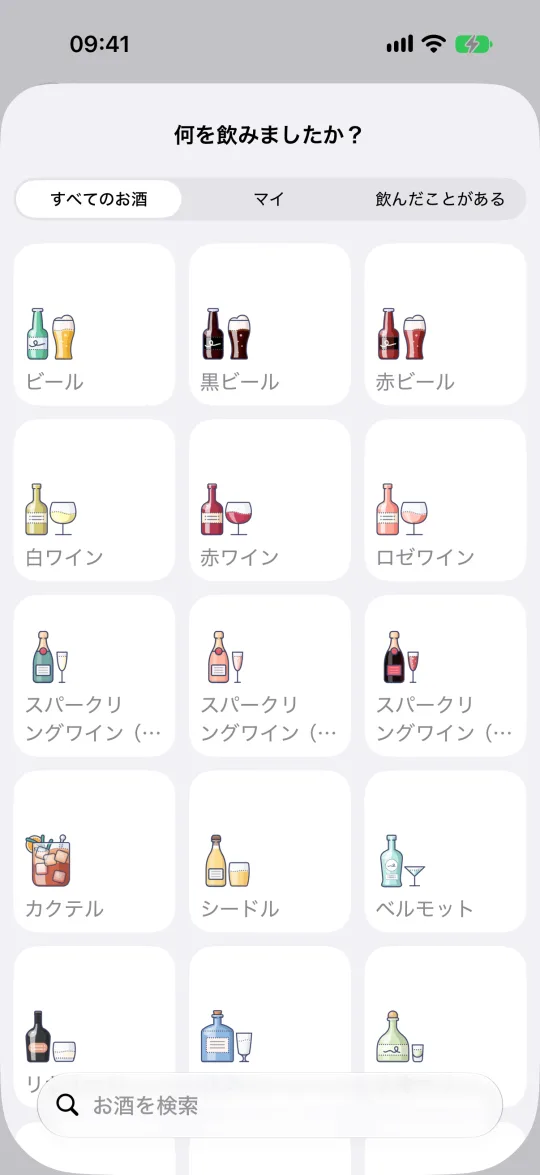
17種類のお酒と400を超える銘柄・種類から選べます。それぞれの一般的な度数はAlcoStatが入力。自分のお酒も一度保存すれば、次からはワンタップで追加できます。
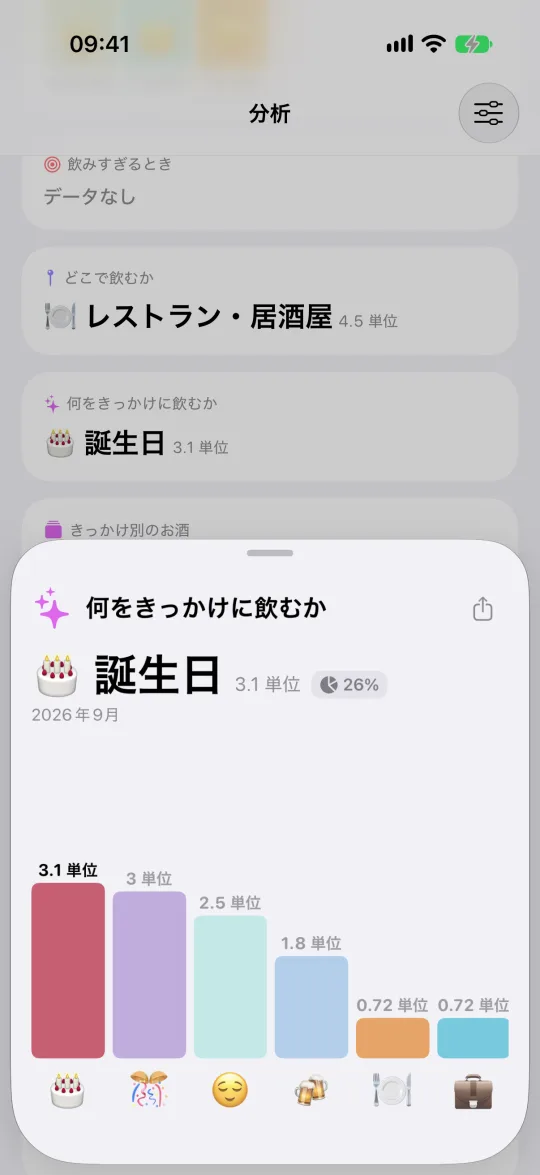
4回のタップで、翌朝の調子、飲んだ場所、相手、きっかけを記録。AlcoStatが、飲酒と結びつきの強いきっかけ・人・場所をランキングにします。
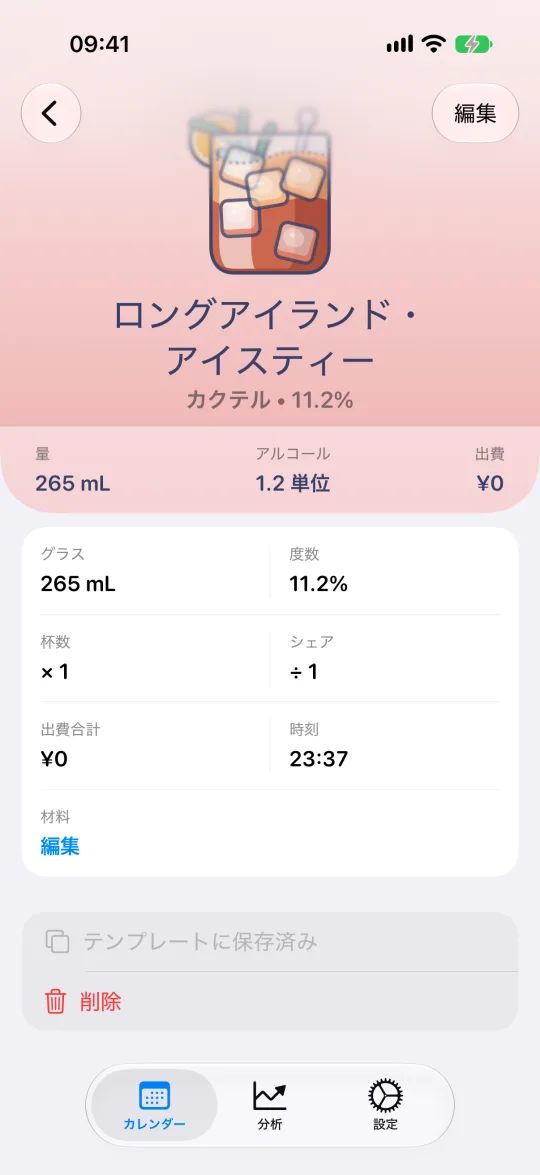
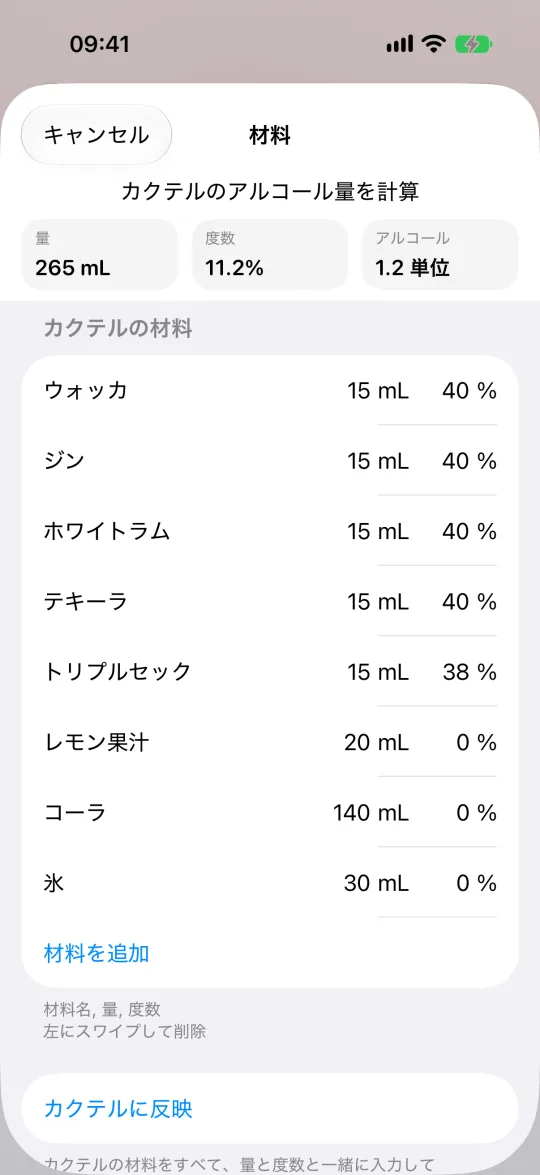
材料と量を入れるだけ。AlcoStatが仕上がりの度数を計算し、ネグローニと生ビール1杯を同じものさしで比べられるようにします。定番レシピは収録済み。自分のレシピも一度保存すれば、次からはワンタップで追加できます。
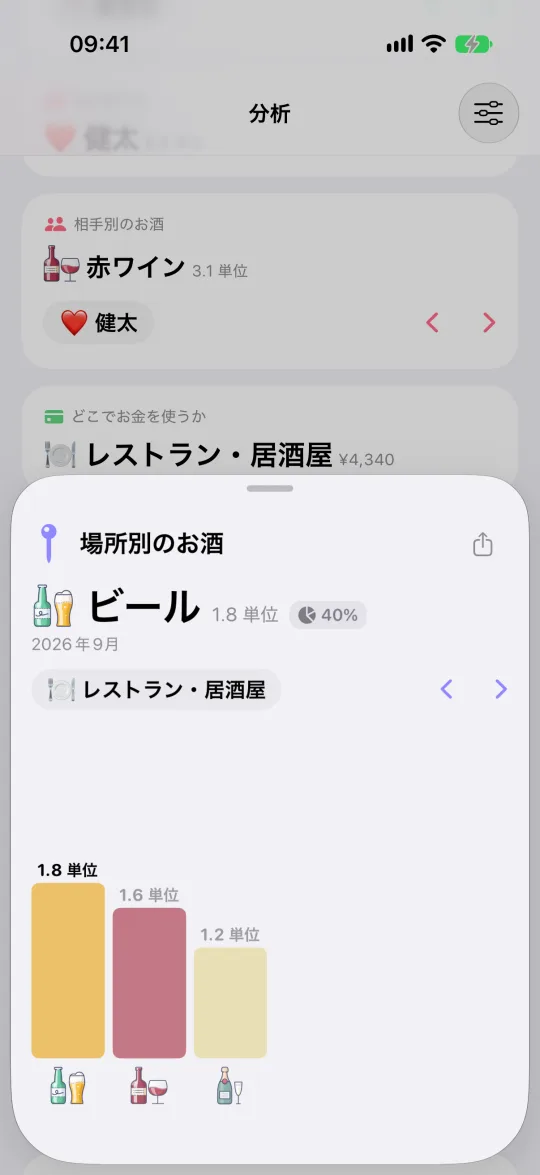
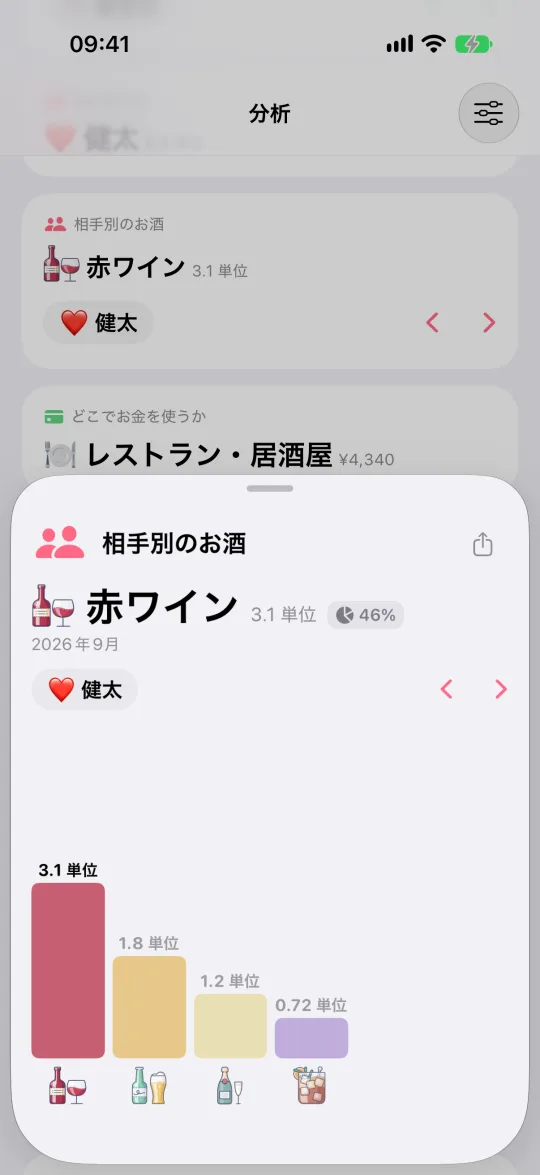
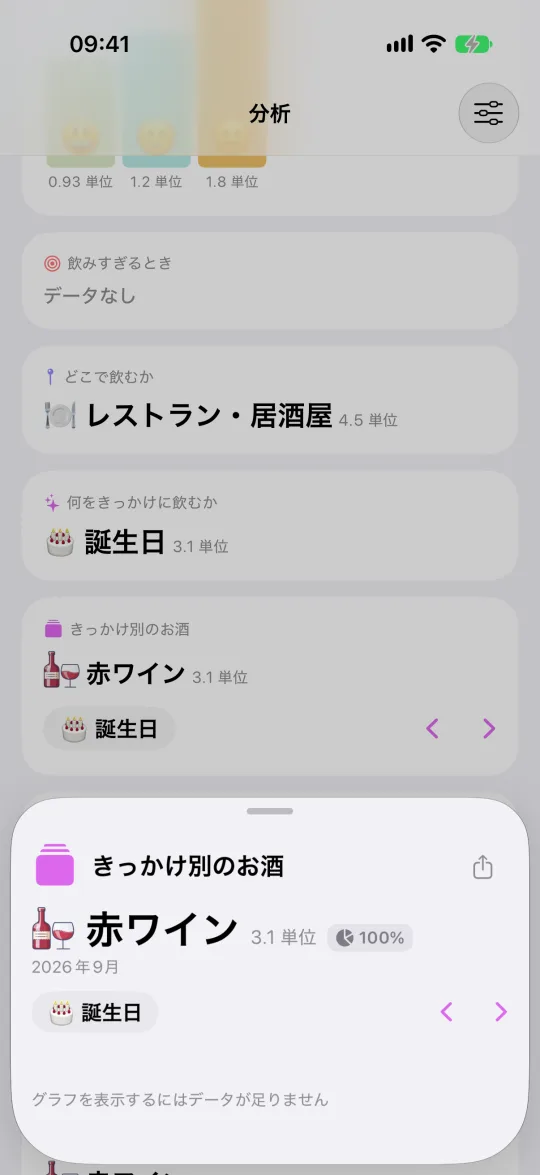
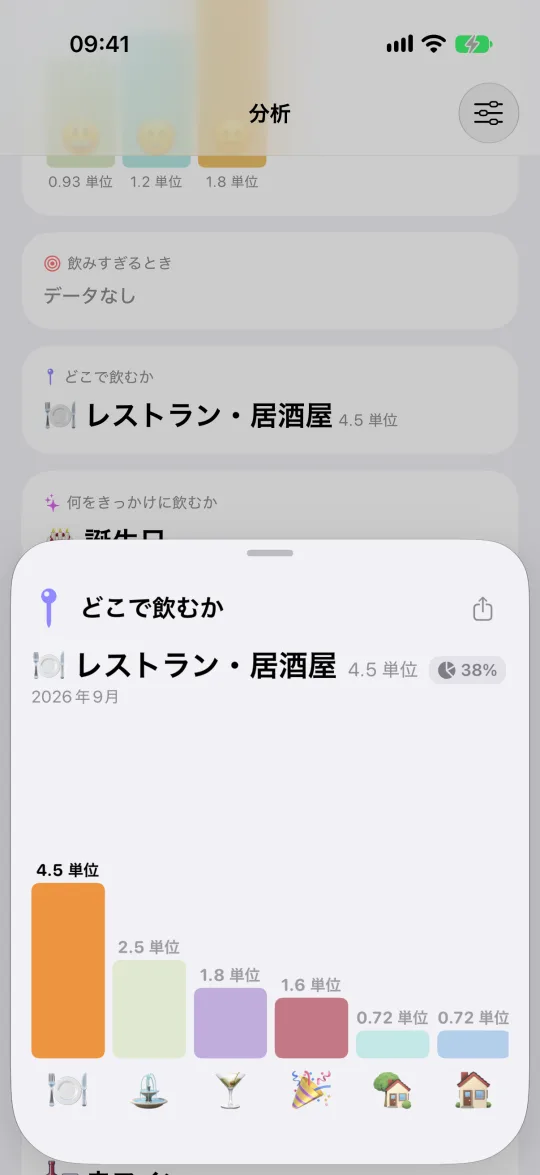
その夜どこにいたか、誰と一緒だったか、なぜ飲んだかをタグで残しましょう。数週間たつと、どの場所・人・きっかけで多く飲んでいるかがランキングでわかります。結論はあなたにおまかせします。
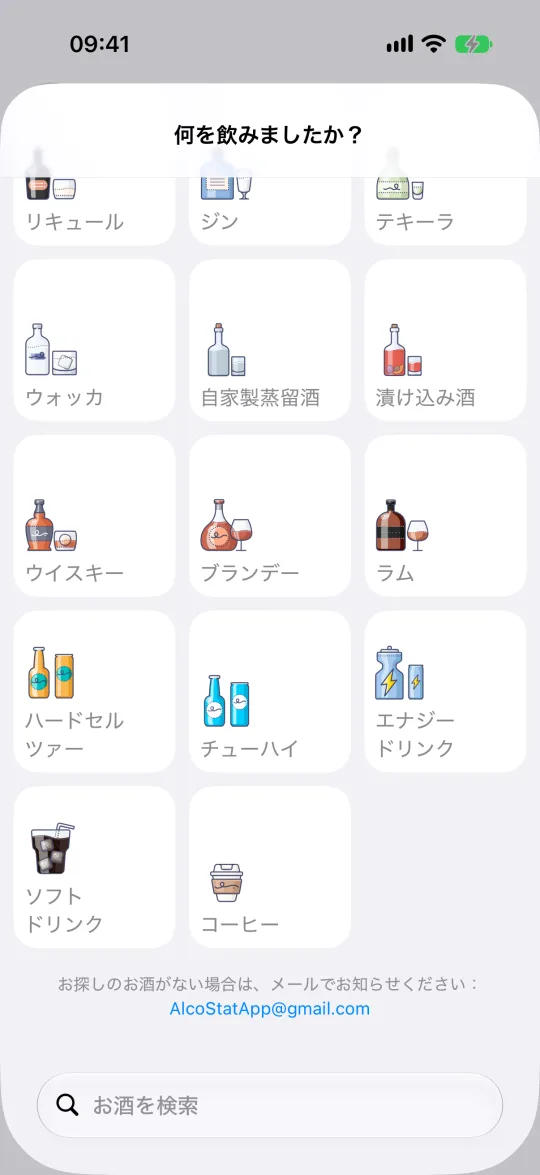
カタログの最後には、コーヒー、エナジードリンク、ソフトドリンクがあります。ノンアルコールビールなども同じように追加できます。度数を0%にすれば、アルコールには一切数えられません。それでも量・金額・時間は記録されるので、グラスの代わりに何を飲み、いくらかかったかがわかります。
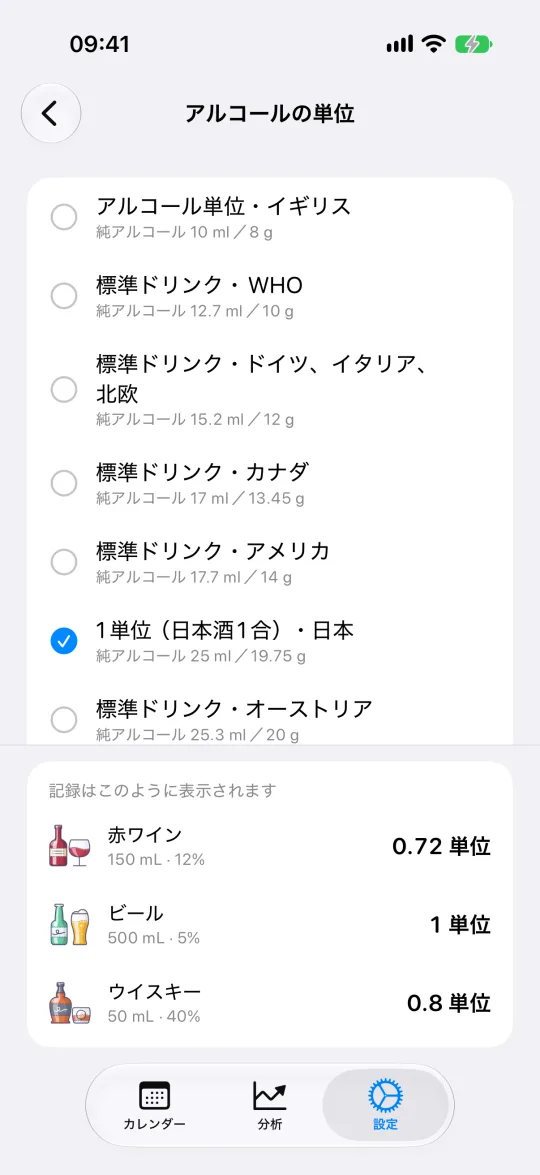
単位は一度選ぶだけ。標準ドリンクか純アルコールのミリリットルか。アプリのすべての数字がそれに合わせて表示されます。
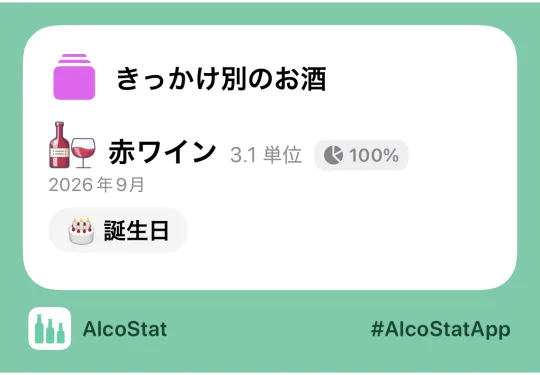
分析カードはどれも画像として保存できます。開いて「共有」をタップすれば、チャットやストーリーに送れます。外に出るのはカードに載っている内容だけ。日記や履歴は端末に残ります。
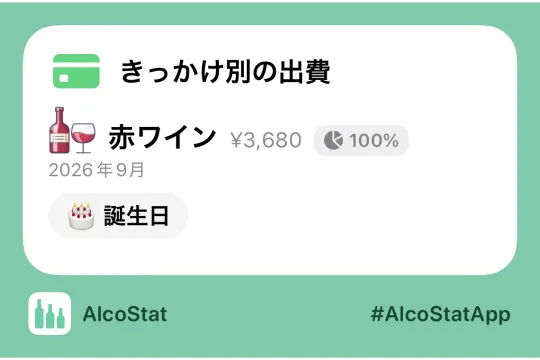
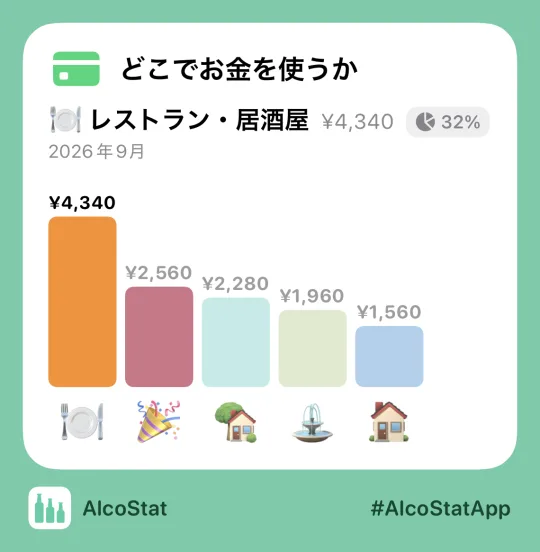
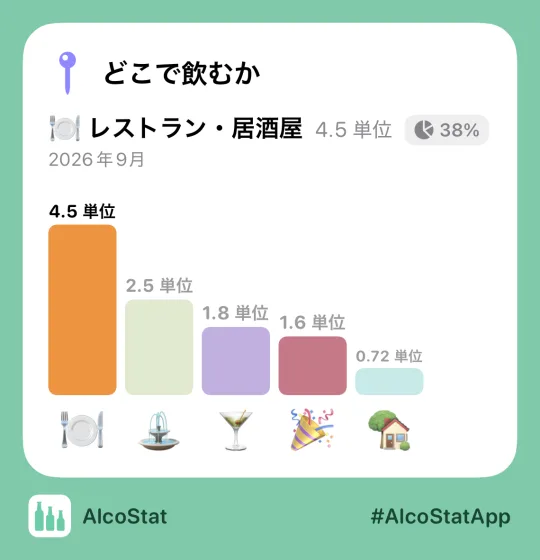
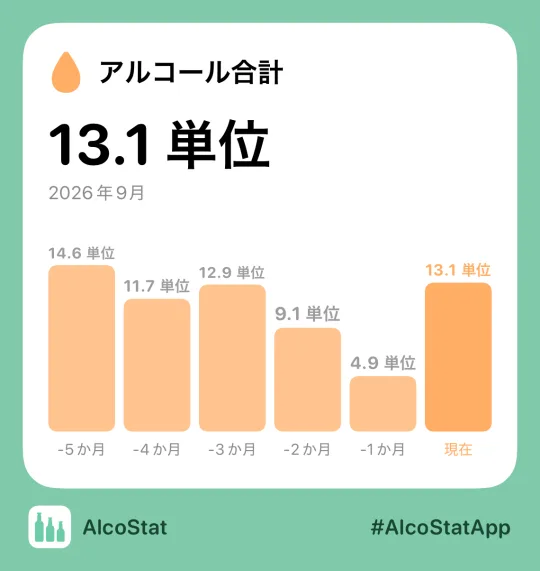
AlcoStatは飲んだものを記録するだけで、評価も禁酒のすすめもしません。数字を見て、その意味を決めるのはあなたです。
血中アルコール濃度は推定せず、運転してよいかも判断しません
目標も期限も設けず、お説教もしません
記録は誰にも見えません。友だちにも、私たちにも
App Storeのレビューを、書かれたままに掲載しています。
対応済み
Best so far
I have tried many alcohol tracking apps to date and nothing has come closer to what I’m looking for than this one. I have two objectives: I do want to track my alcohol intake for health and personal purposes, and remain mindful of it, but at the same time, I would like to track more specifics for the times that I do partake. I have submitted suggestions a couple of times, but have not had any response. I’m hoping to hear from the developer regarding these suggestions at some point. These include: 1. The ability to delete a template, whether one that is provided with the app, or any that are created by the user. 2. Provide a choice to document for days that no alcohol is consumed. Currently I am choosing a newly created template for coffee called no alcohol consumed today. It would be much cleaner and nicer and more visible to have a simple choice of no alcohol today with a red circle with a line through it or a green checkmark if one is wanting to positively document the days without ethanol. 3. A Notes field for a variety of purposes. I would love the ability to be able to document the details of any drink that I’ve consumed. I’m not looking for the developer to expand the intended audience per se, but a free text field to be able to enter anything desired by the user would automatically broaden the audience I would think. I’ll conclude by repeating that I find this to be the most flexible and useful alcohol tracking app that I’ve seen so far. I hope to see some of these and other updates and enhancements added soon.
対応済み
Feature Recommendations
This is a great app for those who simply want to not only monitor how much they drink, but also what they drink. I like the levels of customization that lets me track new drinks I try. A request for future updates would be the addition of a “comment” box for each logged beverage. It’d make for a neat way to describe the drink, as well as whether or not you liked it.
ありがとうございます
Life changing
Great app - I had no idea how much I was drinking until I started using this thing.
ありがとうございます
Free and easy to use
This is a great, full featured drink tracker with customization options. It’s helpful to put down the consumption in one place so you can turn around a bad habit. Thank you!
ありがとうございます
Great app
Great app and the creator responded promptly to my feedback and helped me with my question. Amazing app and I like the UI better then in the paid ones
対応済み
Great!
I love this app - I do wish it would give me weekly totals rather than monthly but it’s awesome.
対応済み
Great layout!
Love the simplicity of this app just wish it had Australian standard drink measure.
対応済み
User friendly
Great app and easy to use. Simple and clean format but a small daily note section would be a great addition.
対応済み
Thanks Andrew
Very helpful tracker. Thanks. It would be great if there is an option to change the default volumes. 500 ml instead of 330 ml for each beer
対応済み
Needs Notes box
An easy to use app. Handy to see my habits and looking to get more alcohol free days each month. Adding a section for notes each day would be excellent to see why I had what I did.
対応済み
Recommendation
Love it, but I’d also appreciate if you added cocktail option to the types of alcohol 🥹 you could also make options depending on what the cocktail is based, thank you
ありがとうございます
Great App
This is really a great little App exactly what I was searching for and easy to edit items. Thanks so much!
標準ドリンクは一定量の純アルコールを表す単位で、ビールとワインやウイスキーを比べられます。AlcoStatはお酒の量と度数から計算し、アメリカ、イギリス、WHO、EU、カナダ、日本、オーストリアの7つの基準に対応。基準を使わず、純アルコールのミリリットルやグラム、96%・40%換算で数えることもできます。設定で選んでください。
目指すところはどのアプリもだいたい同じ、飲む量を減らすこと。違うのはやり方です。ほかのアプリは目標、休肝日カウンター、リマインダー、失敗した日の赤い印で背中を押します。AlcoStatは黙って記録するだけ。実際の量と度数を、あなたが使う単位(標準ドリンクか純アルコールのミリリットル)に換算し、すべてをアカウントなしでiPhoneに保存します(書き出しは無料でいつでも可能)。睡眠、場所、相手、きっかけも記録できます。結論を出すのはあなたです。
記録はiPhoneの中に残ります。アプリがどこかに送ることはありません。サーバーもアカウントも、分析も広告もなし。とはいえ閉じ込められるわけではなく、ファイルへの書き出しは無料、サブスクリプション不要でいつでもできます。iOSのバックアップを使っている場合、それが端末外にある唯一のコピーになることがあります。そのコピーを管理するのはAppleで、私たちではありません。
いいえ。記録、カレンダー、すべての計算はiPhoneの中で、接続なしで動きます。インターネットが必要なのは、「分析」のフル機能を購読するときだけです。
いいえ。AlcoStatはiPhone用アプリで、iOS 16以降が必要です。iPadではiPhone互換モードでのみ動作します。Androidアプリ、Web版、アカウントはありません。記録は、記録したiPhoneの中に残ります。
アプリは無料で、全履歴を期限なしで保存できます。「分析」のカードも11枚無料です。アルコールの合計、飲んだ日と休肝日、現在の連続日数、よく飲むお酒と強いお酒、出費、いちばん飲む曜日。サブスクリプションでは、平均、中央値、記録、タグ別ランキング、コーヒー・エナジードリンク・ソフトドリンクの個別集計など40枚が加わります。見るだけなら支払いは不要です。12時間ごとにロック中のカードが1枚無料で開きます。時間が来たら別のカードを選べて、何度でも使えます(1度に1枚)。
いいえ。血中アルコール濃度は体重、性別、食事、代謝、経過時間に左右されるため、記録だけから出した数字はもっともらしく見えても間違っている可能性があります。AlcoStatが記録するのは飲んだものだけで、あなたの状態はわかりません。運転してよいかの判断には絶対に使わないでください。
材料とその量を入力すれば、仕上がりの度数はAlcoStatが計算します。定番レシピはアプリに入っていて、自分のレシピも保存できます。
金曜の夜は0時ちょうどには終わりません。そこでAlcoStatは、朝6時より前の記録を前日に含めます。ひと晩が1つの日付にまとまり、2日分の統計がゆがむことがありません。
はい。書き出すとiPhone上にファイルが作られ、保存先や送信先を選べます。新しいiPhoneでそのファイルを読み込めば、履歴を引き継げます。
今夜の分を記録しましょう。1か月後には、見返す価値のある記録ができています。